


HDMI Switch Diagram
An HDMI switch allows multiple HDMI source devices to connect to a single display or multiple displays through one switching device. This makes it easy to switch between media players, gaming consoles, computers, and streaming devices without constantly unplugging HDMI cables.
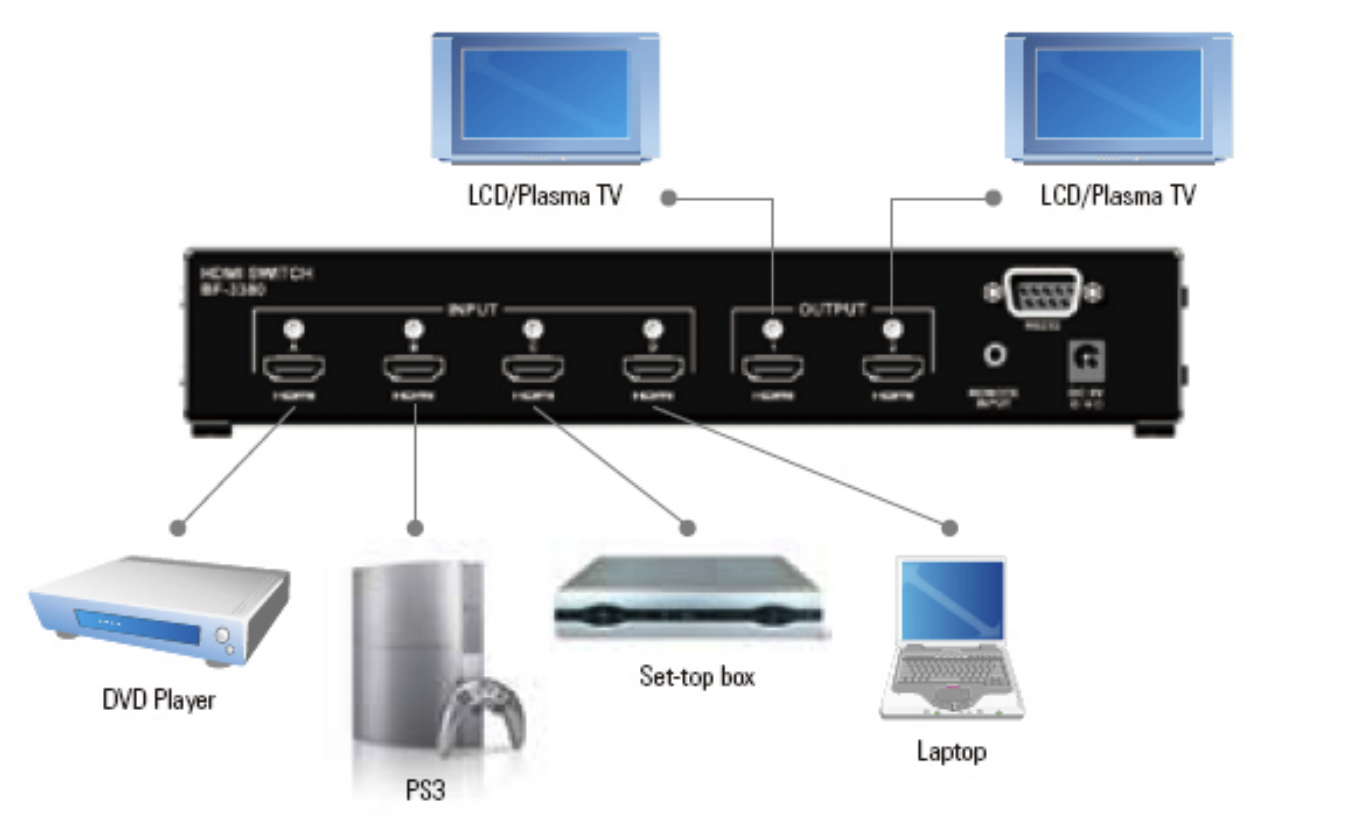
The diagram below illustrates a typical HDMI switch installation with several HDMI source devices connected to LCD or plasma displays.
Common Applications
HDMI switches are commonly used to connect DVD players, gaming consoles, set-top boxes, laptops, and other HDMI devices to a television or monitor. They provide a convenient solution when the display has a limited number of HDMI inputs while allowing users to quickly switch between connected devices.


